A club's social media is often the first thing a new family, a prospective sponsor or a player thinking of joining will see. It doesn't need to be slick. It needs to be regular, accurate and fair to everyone in it. This guide covers the practical side of posting results, and the safeguarding rules that matter most for junior teams.
Be consistent
The single biggest improvement most teams can make is consistency. Post every result, not just the wins, in the same format, at roughly the same time.
- Use the same layout each week. Team name, score, opponent, competition, scorers and player of the match in the same order. Followers learn where to look.
- Stick to your club colours and badge. A consistent look makes posts recognisable in a busy feed.
- Post the defeats too. Posting only wins looks odd to parents and to other clubs. A short, gracious post after a loss says a lot about your club.
- Agree who posts. One person per team, or one club account with a named volunteer, avoids duplicate or contradictory posts.
Image sizes
Each platform and placement crops differently. Three sizes cover almost everything:
| Format | Size (pixels) | Best for |
|---|---|---|
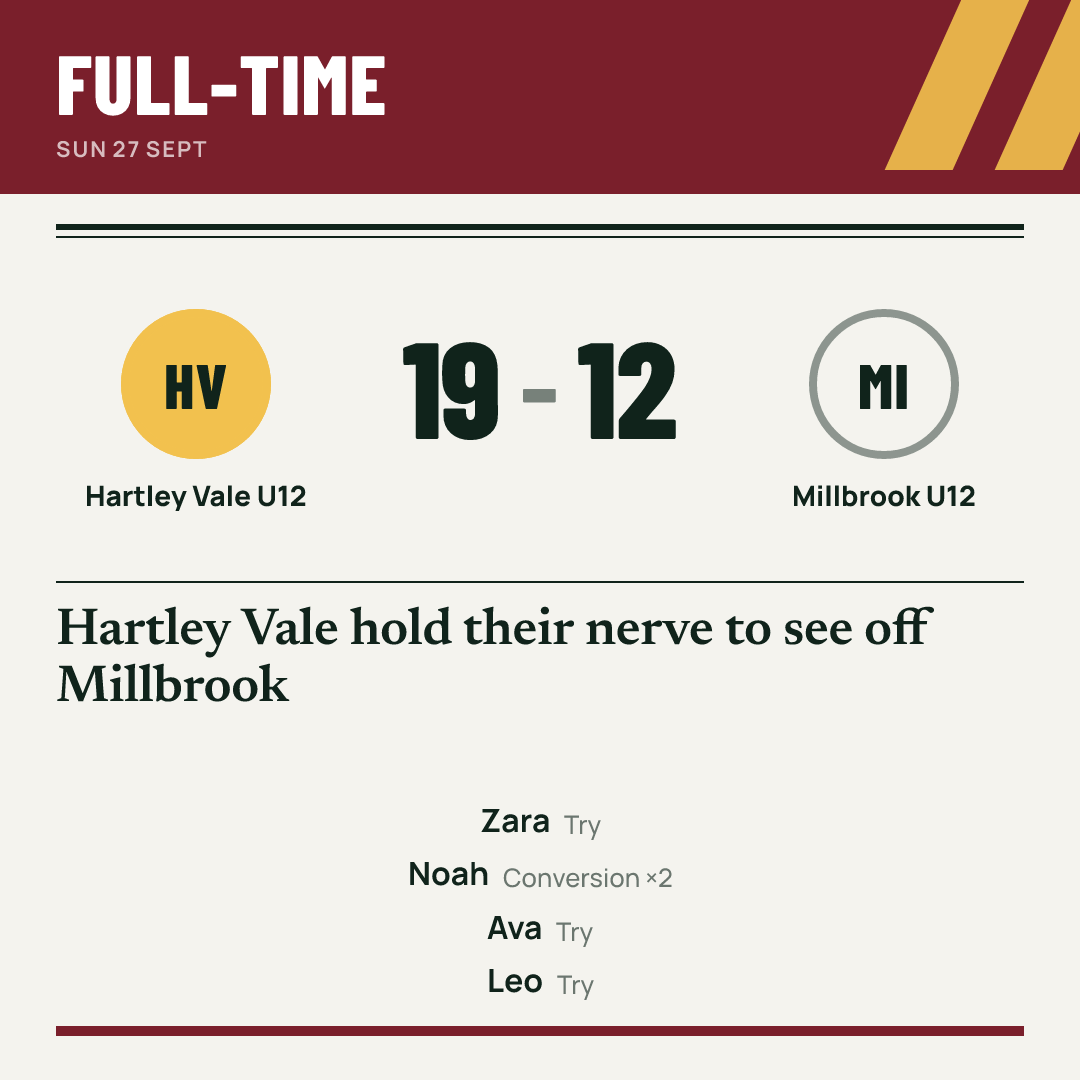
| Square | 1080 × 1080 | Feed posts on most platforms |
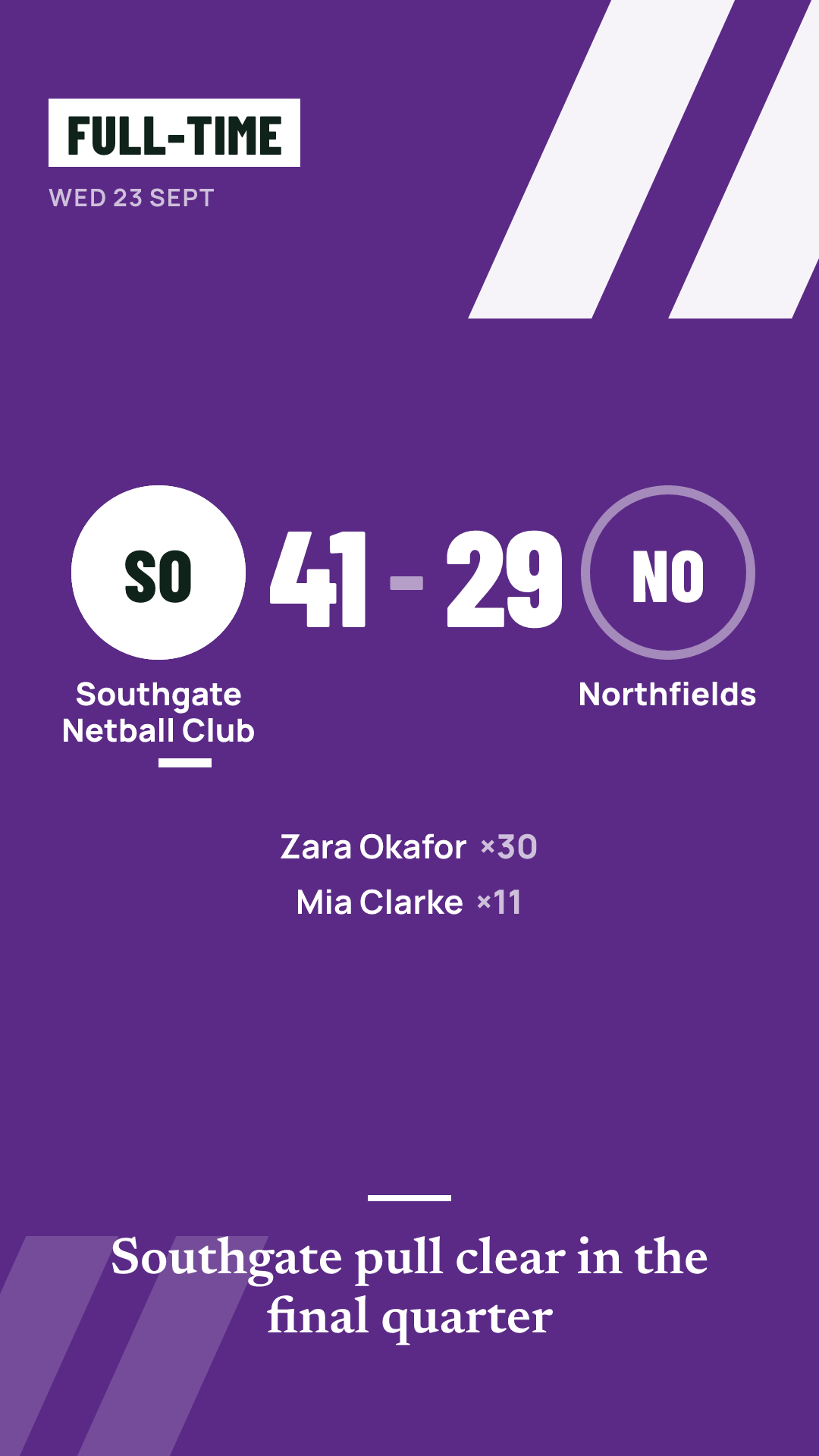
| Story | 1080 × 1920 | Stories and full-screen vertical formats |
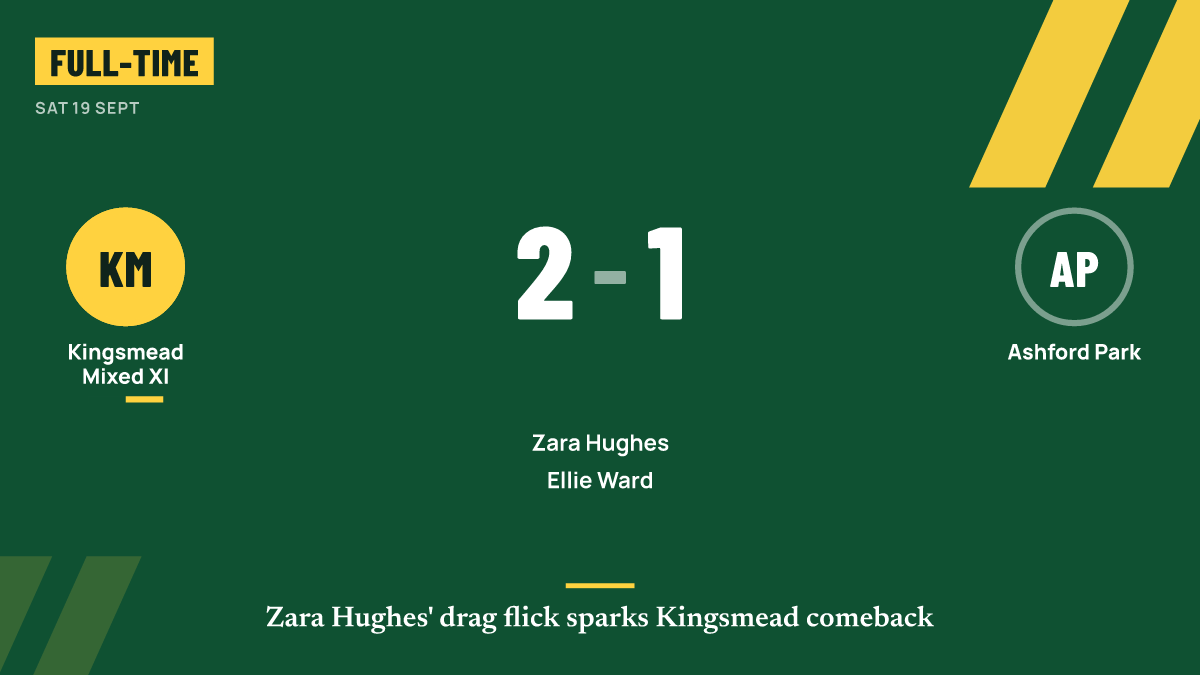
| Landscape | 1200 × 675 | Link previews, X (Twitter), websites and some Facebook posts |
Keep the score and team names away from the very edges, as some apps crop or overlay buttons. Large, high-contrast text reads best on a phone.
When to post
- Full-time result: within an hour of the final whistle if you can. This is when families and players are looking.
- Match report: the same day, while the match is fresh.
- Fixture or matchday post: the evening before or the morning of the game, with kick-off time and venue if it's a home fixture.
- Line-up: shortly before kick-off, only if your club is happy to publish squads.
Avoid posting live commentary about individual junior players during a match. A score update is fine; a running commentary on one child is not.
Writing captions
A good caption is short and complete. Someone who reads only the caption should know the result.
Full time: Riverside U12 3–1 Hillcrest Rangers. Goals from Ava, Leo and Sam. Player of the match: Isla for a brilliant display at the back. Home to Oakdale next Saturday, 10am.
Some habits that help:
- Put the score first.
- Thank the opposition and the referee, especially after a close or difficult game.
- Keep jokes about the opposition out of it.
- Check spellings of names. Parents notice.
Hashtags
Use a small number of consistent hashtags rather than a long list. Two or three is plenty: a club tag, perhaps a team or age-group tag, and a league tag if your league uses one. Check what your league and county use before inventing your own. Avoid tags that invite attention to children from people outside the club.
Crediting people
Credit widely. Scorers are the obvious names, but a post that mentions the goalkeeper, a defender or a substitute who made a difference will be shared by more families. If a parent took the photo, credit them with their permission. Thank sponsors if your agreement includes it, but keep the result as the main message.
Safeguarding rules for junior posts
This is the part to get right every time. Most county FAs and national governing bodies publish guidance on photos and social media for junior teams, and your club should have its own social media policy. Read it, follow it, and check with your club welfare officer if you are unsure. The points below reflect common practice.
- First names only. Don't use surnames of junior players in posts, captions, hashtags or graphics.
- Parental permission for photos. Only post photos of children whose parents have given permission, and respect it if a parent withdraws it. Keep a simple record of who has and hasn't consented.
- No names with photos that make a child easy to find. Avoid combining a child's name, face and details such as their school or where they train.
- No negative callouts. Never name a child for a mistake, an own goal, a missed penalty, a card or an injury.
- Appropriate images only. Match action and team photos in full kit. Nothing from changing rooms, and nothing a child or parent would be embarrassed by.
- Follow your club's social media policy. It may set rules about who can post, which accounts are used, and whether comments are switched off.
- Keep contact details off public posts. Direct enquiries to the club's official channels.
If a parent asks you to remove a post or a photo, do it promptly and without argument.
A live score for families
Not every family can be at every match. A grandparent at home, or a parent at another child's game, will want to know the score as it happens. A live score page that updates itself saves the coach from answering the same message repeatedly during the match, and keeps score updates off the team's main social feed. Share the link in your team group before kick-off.
How Match Report GO helps
Match Report GO produces share graphics from the match you logged, in square (1080×1080), story (1080×1920) and landscape (1200×675) sizes, covering the result, player of the match, a scorer, a fixture and a line-up. Free graphics carry a small "Made with Match Report GO" mark; on Pro and Club they use your team's colours and badge with no mark. Families can also follow a live score page that updates itself.
For junior teams, junior mode shows first names only on graphics and public pages, never names a child for a negative moment, and keeps junior teams' public pages out of search engines.